







UPSSC CAPF AC Admit Card 2026 Out at upsconline.gov.in, Download Hall Ticket for 19 July Exam
UPSC CAPF AC Admit Card 2026 is now available online at upsconline.gov.in for the 19 July exam. Candidates can download the hall ticket using their application number and password/date of birth. Check the direct download process, exam schedule, documents required, and important exam-day instructions.



UPSC CAPF AC Admit Card 2026 has been released by the Union Public Service Commission (UPSC) on 10 July 2026. Candidates appearing for the Central Armed Police Forces (Assistant Commandants) Examination can now download their hall tickets from the official portal, upsconline.gov.in.
The UPSC CAPF Admit Card 2026 is a mandatory document for entry into the examination hall. The written examination is scheduled to be conducted on 19 July 2026, and candidates should download their admit cards well in advance to avoid last-minute technical issues.
UPSC CAPF AC Admit Card 2026 Highlights
UPSC CAPF AC 2026 Exam is scheduled to be held on 19th Juy 2026 at various exam centres. To have a quick glance go through the below table.
| Particular | Details |
| Exam Name | UPSC CAPF (Assistant Commandants) Examination 2026 |
| Conducting Authority | Union Public Service Commission (UPSC) |
| Post | Assistant Commandant (Group A) |
| Total Vacancies | 349 |
| UPSC CAPF AC Admit Card 2026 Release Date | 10 July 2026 |
| UPSC CAPF Exam Date 2026 | 19 July 2026 |
| Mode of Admit Card | Online PDF |
| Login Credentials | Application Number + Password/Date of Birth + Security Pin |
| Official Website | upsconline.gov.in |
UPSC CAPF Admit Card 2026 Download Link
The UPSC CAPF Admit Card Download Link is now active on the official UPSC online portal. Candidates should use only the UPSC CAPF Admit Card Official Website to access their hall tickets.
UPSC CAPF Admit Card 2026 Link (Active)
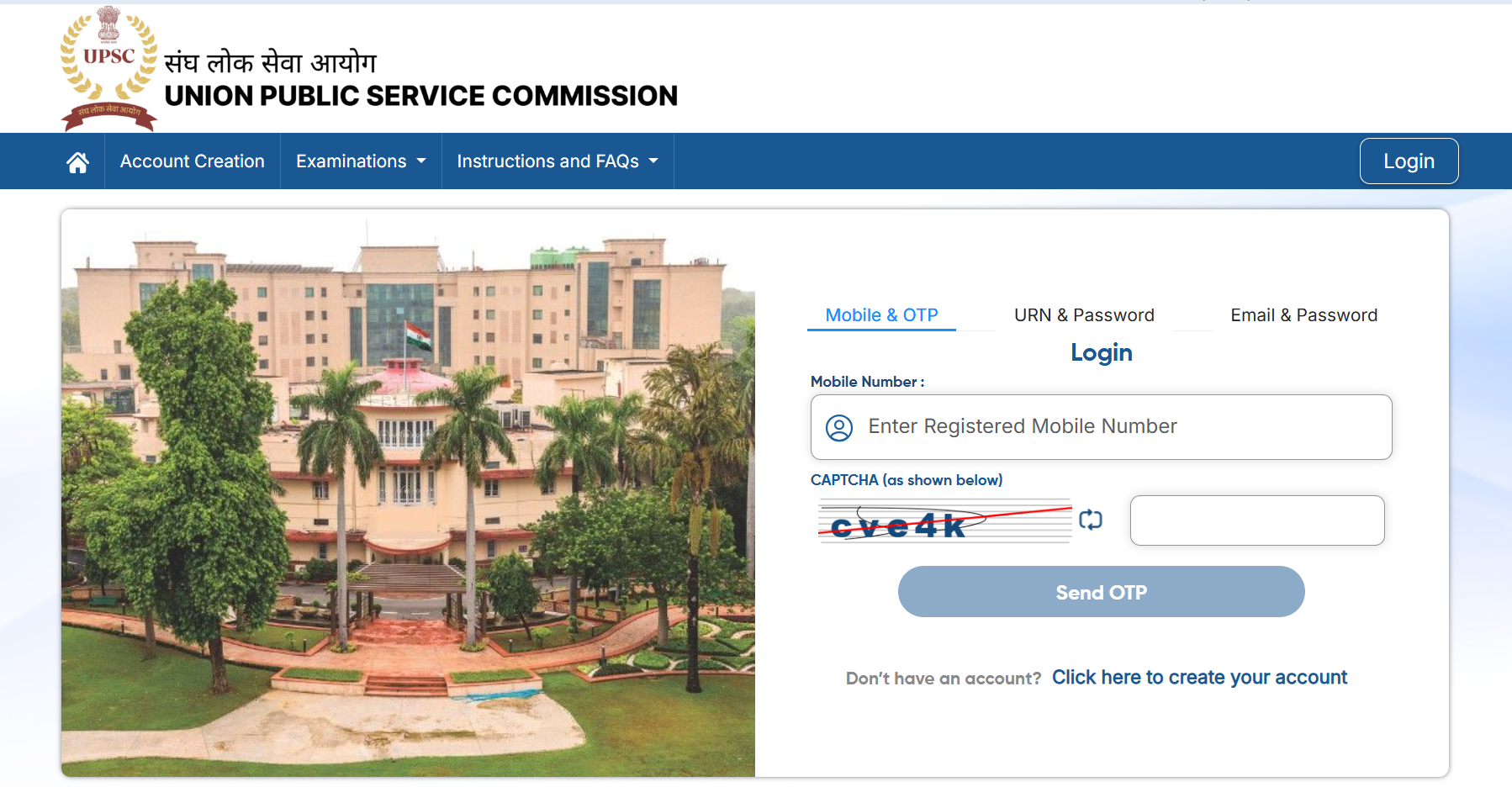
Before downloading, keep the following details ready:
-
Application Number
-
Password or Date of Birth
-
Security Captcha
Candidates are advised to download multiple copies of the admit card for future use.
How to Download UPSC CAPF Admit Card 2026?
If you are wondering How to Download UPSC CAPF Admit Card 2026, follow these simple steps:
-
Visit the official UPSC online portal at upsconline.gov.in.
-
Open the Active Examinations section.
-
Click on Central Armed Police Forces (Assistant Commandants) Examination 2026.
-
Select the e-Admit Card option.
-
Enter your Application Number along with Password or Date of Birth.
-
Fill in the Security Pin displayed on the screen.
-
Click on Submit.
-
Your UPSC CAPF Hall Ticket 2026 will appear on the screen.
-
Download the PDF and take at least two or three printouts.
Different Ways to Download UPSC CAPF Admit Card 2026
Candidates can access the Download UPSC CAPF Admit Card 2026 facility through multiple login options:
-
Application Number and Password
-
Application Number and Date of Birth
-
Mobile Number with OTP (if available)
-
Registered Email ID and Password
UPSC CAPF Exam Date 2026
The UPSC CAPF Exam Date 2026 has been officially scheduled for 19 July 2026 (Sunday). The written examination will be conducted in two papers:
| Paper | Timing |
| Paper I | 10:00 AM to 12:00 Noon |
| Paper II | 2:00 PM to 5:00 PM |
Candidates should report to the examination centre well before the reporting time mentioned on the UPSC CAPF Call Letter 2026.
Details Mentioned on UPSC CAPF Hall Ticket 2026
After downloading the UPSC CAPF Hall Ticket 2026, candidates should verify the following information carefully:
-
Candidate's Name
-
Roll Number
-
Application Number
-
Date of Birth
-
Category
-
Photograph
-
Signature
-
Examination Date
-
Reporting Time
-
Examination Centre Name
-
Examination Centre Address
-
Gate Closing Time
-
Subject Name
-
PwD Status (if applicable)
-
Important Instructions
If any discrepancy is found, candidates should immediately contact UPSC for correction.
Documents Required at the UPSC CAPF 2026 Examination Centre
Along with the UPSC CAPF AC Admit Card 2026, candidates must carry:
-
Printed copy of the admit card
-
Two recent passport-size photographs
-
Aadhaar Card
-
PAN Card
-
Passport
-
Driving Licence
-
Voter ID
-
Any other Government-issued photo identity proof
Failure to produce a valid identity proof may result in denial of entry.
Items Not Allowed Inside the Exam Centre
Candidates should avoid carrying prohibited items, including:
-
Mobile phones
-
Smartwatches
-
Bluetooth devices
-
Calculators
-
Digital watches
-
Study material
-
Bags and purses
-
Electronic gadgets
-
Geometry boxes or pencil pouches
Any violation of exam rules may lead to disqualification.
Important Instructions for Candidates
Before appearing for the examination, candidates should keep these points in mind:
-
Download the admit card only from the official UPSC website.
-
Verify all personal details immediately after downloading.
-
Reach the examination venue before the reporting time.
-
Carry original photo ID proof.
-
Follow all instructions mentioned on the hall ticket.
-
Preserve the admit card until the recruitment process is completed.
Common Login Issues While Downloading UPSC CAPF Admit Card
Candidates facing difficulty while downloading the UPSC CAPF Admit Card 2026 can try these solutions:
-
Verify the Application Number carefully.
-
Use the correct Password or Date of Birth.
-
Refresh the page if the website is slow.
-
Clear browser cache or switch browsers.
-
Try downloading during non-peak hours if the server is busy.
UPSSC CAPF AC Admit Card 2026 FAQs
Is UPSC CAPF AC Admit Card 2026 released?
What is the UPSC CAPF Exam Date 2026?
Where can I find the UPSC CAPF Admit Card Download Link?
What login credentials are required to download the UPSC CAPF Hall Ticket 2026?
Can I enter the exam centre without the UPSC CAPF Call Letter 2026?


Have questions about your prep?
Our experts can answer all your questions
 Live & recorded classes available at easeDashboard for progress trackingLakhs of practice questions

