NEET UG 2026 Registration: How to Upload Finger and Thumb Impressions

While filling the NEET UG 2026 application form, many candidates are facing difficulties while uploading left and right hand finger and thumb impressions. Errors such as unclear impressions, wrong hand placement, or poor-quality images can result in form rejection or correction emails from NTA. Since these impressions are used for biometric verification at the exam centre, accuracy is extremely important. Candidates must strictly follow the prescribed method while taking and uploading impressions to ensure smooth verification on exam day. Using the correct materials and following step-by-step instructions can help avoid unnecessary stress later.
Why Finger and Thumb Impressions Are Important
Finger and thumb impressions are used for biometric authentication during the NEET UG examination process. If the uploaded impressions are unclear, smudged, or incorrect, they may not match at the exam centre. This mismatch can lead to verification delays or complications on exam day.

Common Errors Students Make
Many students mistakenly use pens instead of ink pads or apply too much ink, making impressions unclear. Some candidates move their fingers while lifting them, causing smudges. Others upload blurred photos or mix up left and right hand impressions, increasing the chances of application rejection.
Items Required Before You Start
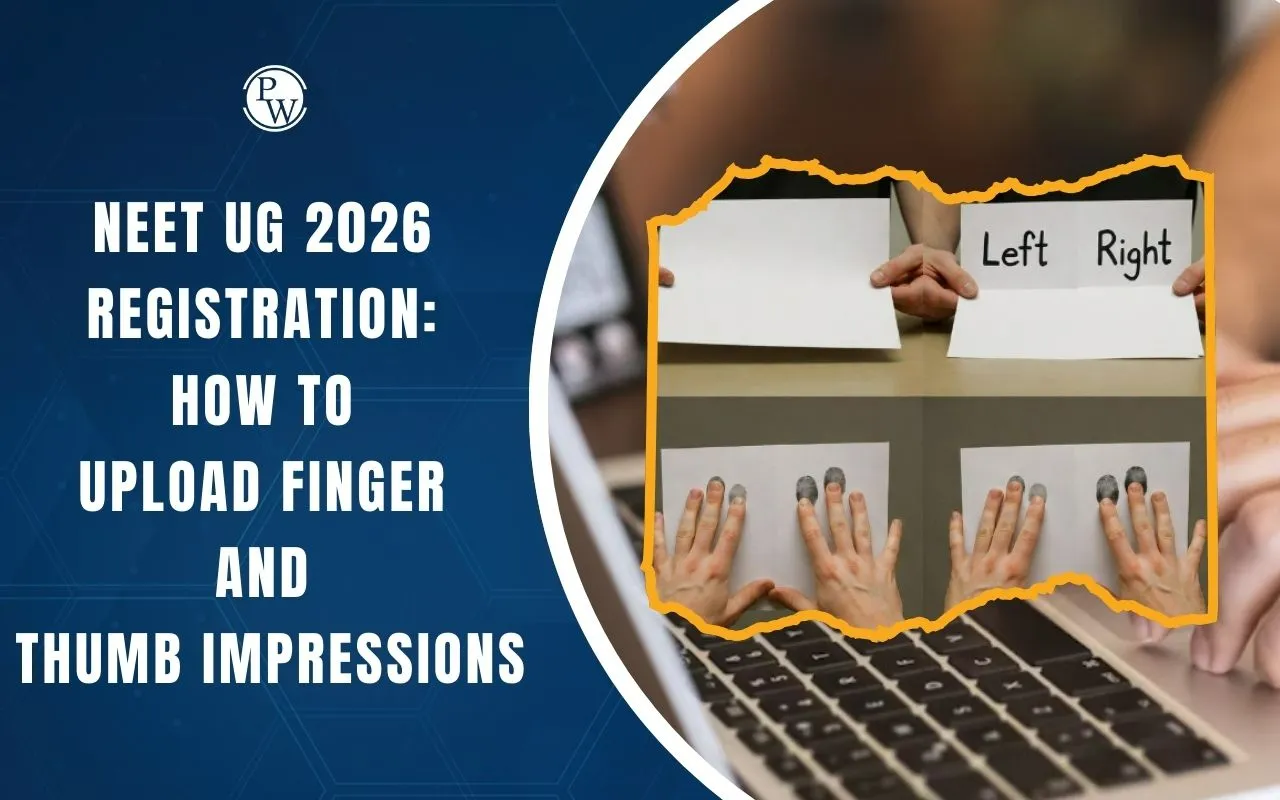
Candidates need a plain white sheet of paper, an ink pad, and a mobile phone or camera. Keep the paper in landscape orientation and fold it into two equal halves. Clearly label one side as “Left” and the other as “Right” to avoid confusion while taking impressions.
Step-by-Step Process to Take Finger & Thumb Impressions
Step 1: Take a clean white paper and place it in landscape mode.

Step 2: Fold the paper into two halves and label them “Left” and “Right.”

Step 3: Lightly press the fingers and thumb of your left hand on the ink pad.

Step 4: Gently place all five fingers and the thumb on the “Left” side of the paper without shaking.
Step 5: Lift your hand straight up without sliding or tilting.
Step 6: Repeat the same steps for your right hand on the “Right” side.

Step 7: Ensure both impressions are neat, clear, and readable.
How to Click and Upload the Image
After taking the impressions, click a clear photo in good lighting. Make sure the full paper is visible and impressions are sharp. Save the image in JPG or JPEG format as specified and upload it without cropping, editing, or applying filters.
Key Do’s and Don’ts
Do:
-
Use only an ink pad
-
Keep impressions light and clean
Don’t:
-
Use pens or markers
-
Move your hand while lifting
-
Upload blurred or cropped images
NEET UG 2026 Finger & Thumb Impressions FAQs
Can I use a pen instead of an ink pad for impressions?
What happens if my impressions are unclear or wrong?
Can I edit or crop impression image before uploading?