







Explore More Information About Earners Batches
PW Earners runs 13 skill batches in Hinglish across two tracks — 6 you can complete on a smartphone and 7 built for a laptop. Every batch is project-led, beginner-friendly, and ends with a portfolio piece and a completion certificate.
Mobile Courses: Mobile Video Editing , AI & ChatGPT, YouTube Content Creation, Instagram & Social Media, Mobile Graphic Designing , All Mobile Courses
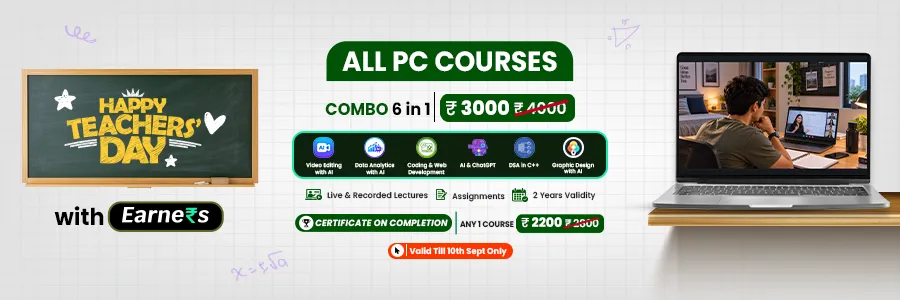
PC Courses: Video Editing with AI, Data Analytics with AI, Coding & Web Development , DSA in C++ , AI & Machine Learning , Graphic Design with AI, All PC Courses
Over 11,000 learners have already enrolled across the PC track. Both tracks have free full-length demo classes on YouTube before you pay anything.
Jump to a Course
PW Earners Mobile Courses: 6 Batches
Every Mobile batch runs 2 May 2026 – 2 May 2027 (combo to 2 May 2028), is taught in Hinglish, needs no laptop, and is tagged a Career Upskilling & Freelancing Batch.
Mobile Video Editing Course – Earners
The Mobile Video Editing course teaches complete video editing on a smartphone — no laptop, no paid software. You start with cuts and transitions and finish editing reels, shorts and client projects at professional standard.
- Duration: 2 May 2026 – 2 May 2027
- Device: Mobile
- Level: Beginner
- Language: Hinglish
Apps covered: CapCut, Alight Motion, VN, InShot, Filmora
Syllabus:
-
Editing basics — cut, trim, transitions and effects
-
Keyframes, speed ramping and colour grading
-
Audio editing and subtitle creation
-
Reels, Shorts and social media video editing
-
Client project workflows
You finish with: An edited showreel — one reel, one short, one long-form edit. This is exactly what a client asks to see before hiring.
Who it's for: Anyone who wants the shortest route from learning to a paid gig. Reel and shorts editing is the most consistently in-demand freelance skill in the creator economy, and it's billable per video or on monthly retainer.
Career paths: Video Editor, Reels & Shorts Editor, YouTube Editor, Freelance Post-Production
AI & ChatGPT Course – Earners
The AI & ChatGPT course teaches you to actually work with ChatGPT, Gemini and Canva AI — not just chat with them. You'll use AI for content, scripts, research and productivity, and build websites and presentations without writing a line of code.
- Duration: 2 May 2026 – 2 May 2027
- Device: Mobile
- Level: Beginner
- Language: Hinglish
Tools covered: ChatGPT, Gemini, Canva AI
Syllabus:
-
AI-powered content creation and script writing
-
Website building and presentations with no coding
-
AI for productivity and workflow improvement
-
Applying AI across content, design and social media
-
Prompt workflows for repeatable client output
You finish with: A live no-code website, a presentation deck, and an AI content workflow you can run for clients.
Who it's for: Students, writers, creators and anyone doing repetitive digital work. This is the highest-leverage batch on the mobile track — it multiplies the output of every other skill you have.
Career paths: AI Content Creator, Freelance Content Writer, Digital Marketing Assistant, No-Code Website Builder
YouTube Content Creation Course – Earners
The YouTube Content Creation course covers the full channel lifecycle — setup, planning, production, growth and monetisation. It works whether you're building your own channel or managing someone else's.
- Duration: 2 May 2026 – 2 May 2027
- Device: Mobile
- Level: Beginner
- Language: Hinglish
Syllabus:
Channel setup and niche selection
-
Content planning and calendars
-
Video production on mobile
-
Audience growth and retention
-
Monetisation strategies
You finish with: A branded, set-up channel with a running content calendar and your first videos published.
Who it's for: Creators who want an audience they own rather than one they rent from an algorithm. Also the entry point into channel-management work for brands.
Career paths: YouTuber, Channel Manager, Content Strategist, Brand Content Manager
Instagram & Social Media Course – Earners
The Instagram & Social Media course teaches the full job of a social media manager — branding, planning, growth, engagement and account handling — as a repeatable workflow rather than theory.
- Duration: 2 May 2026 – 2 May 2027
- Device: Mobile
- Level: Beginner
- Language: Hinglish
Syllabus:
-
Personal branding and profile positioning
-
Content planning and content pillars
-
Audience growth strategies
-
Engagement tactics and community handling
-
Client account management and analytics
You finish with: A positioned profile, a live content calendar and an analytics-backed growth plan you can replicate for a client.
Who it's for: Anyone who wants recurring income rather than one-off projects. Social media management is typically retainer-based, which makes it the most predictable earner of the five mobile skills.
Career paths: Social Media Manager, Community Manager, Personal Brand Consultant, Freelance SMM
Mobile Graphic Designing Course – Earners
The Mobile Graphic Designing course covers thumbnails, social posts, logos and full branding kits using mobile-friendly design tools. It is the fastest of the mobile skills to monetise, because every creator and small business needs design output weekly.
- Duration: 2 May 2026 – 2 May 2027
- Device: Mobile
- Level: Beginner
- Language: Hinglish
Syllabus:
-
Layout, colour and typography fundamentals
-
Thumbnail design and click psychology
-
Social media post and carousel design
-
Logo design and brand identity
-
Complete branding kits for clients
You finish with: A design portfolio containing thumbnails, post sets and a full brand kit.
Who it's for: Visual thinkers, and anyone who wants small repeatable jobs that add up. Thumbnail work in particular is high-volume and recurring.
Career paths: Graphic Designer ,Thumbnail Designer, Brand Identity Designer, Freelance Designer
All Mobile Courses (Combo) – Earners
All Mobile Courses bundles the five skills above into one enrolment with a longer validity window. It's the correct choice if you haven't committed to a single skill yet.
Duration: 2 May 2026 – 2 May 2028 (two years) ·
Format: All Mobile Content Creation (Recorded) Batch includes, AI & ChatGPT, Mobile Video Editing , YouTube Content Creation , Instagram & Social Media , Mobile Graphic Designing
Structure:
-
6-month structured learning programme with practical projects
-
Regular assignments for skill development
-
Weekly doubt-support sessions
-
Two-year access instead of one
Why take the combo: Lower effective cost per course than five separate enrolments, and double the validity. The skills also compound — an editor who can design thumbnails and run the account charges more than an editor who only edits.
PW Earners PC Courses: 7 Batches
Every PC batch follows the same structure: 12 live classes + 4 recorded lessons + 20 assignments, with live sessions on Saturdays and Sundays so you can learn alongside a job or college. You work with real tools on a real machine.
Coding & Web Development Course – Earners
The Coding & Web Development batch takes you from zero to a deployed website. You write real code on a real machine, with live mentor sessions rather than a pre-recorded playlist.
Format: 12 live + 4 recorded classes · 20 assignments · Weekend live sessions ·
- Device: Laptop/desktop
- Level: Beginner
- Language: Hinglish
You'll build: Web projects you can deploy and show — a live URL, not a screenshot.
Who it's for: Anyone targeting a developer job or higher-paying technical freelance work. Web development has the deepest job market of any skill on this page.
Career paths: Web Developer , Frontend Developer , Full-Stack Developer , Freelance Web Developer
Data Analytics with AI Course – Earners
The Data Analytics with AI batch teaches you to clean, query and visualise data using AI-assisted workflows — the way analytics work is actually done now, not the way it was taught five years ago.
Format: 12 live + 4 recorded classes · 20 assignments · Weekend live sessions ·
- Device: Laptop/desktop
- Level: Beginner
- Language: Hinglish
You'll build: A working dashboard and a complete analysis project with documented findings.
Who it's for: Commerce, science and engineering students, and working professionals moving into a data role. Analytics is one of the most reliable non-coding-heavy routes into a technical job.
Career paths: Data Analyst , Business Analyst , MIS Executive , Reporting Analyst
DSA in C++ Course – Earners
The DSA in C++ batch is placement preparation. Data structures, algorithms and the problem-solving patterns that decide technical interview rounds, taught in C++ with 20 assignments of deliberate practice.
Format: 12 live + 4 recorded classes · 20 assignments · Weekend live sessions ·
- Device: Laptop/desktop
- Language: Hinglish
You'll build: A solved problem set across core DSA patterns — arrays, strings, linked lists, trees, graphs, recursion, DP.
Who it's for: Engineering students facing campus placements, and anyone preparing for product-company interview rounds. DSA isn't a job skill; it's the gate you pass to get the job.
Career paths: Software Engineer , SDE placements , Product-company interview prep
AI & Machine Learning Course – Earners
The AI & Machine Learning batch is for building AI, not just prompting it. You train models, work through applied ML pipelines and document results the way an employer expects to see them.
Format: 12 live + 4 recorded classes · 20 assignments · Weekend live sessions ·
- Device: Laptop/desktop
- Language: Hinglish
You'll build: A trained model with a documented result set — a project, not a certificate line.
Who it's for: Learners who've outgrown using ChatGPT and want to work on the systems underneath. Best taken after some coding or analytics exposure.
Career paths: ML Engineer , AI Engineer , Data Scientist (entry) , AI Product Roles
If you want to use AI rather than build it, take AI & ChatGPT on the mobile track instead — it's the faster, cheaper starting point.
Graphic Design with AI Course – Earners
The Graphic Design with AI batch is the desktop-grade version of design work — professional tooling, AI-assisted workflows, and output at agency and client standard.
Format: 12 live + 4 recorded classes · 20 assignments · Weekend live sessions ·
- Device: Laptop/desktop
- Level: Beginner
- Language: Hinglish
You'll build: A full professional design portfolio.
Who it's for: Designers who want to charge more than mobile-tool rates, and anyone targeting an in-house or agency design role.
Graphic Design with AI vs Mobile Graphic Designing: Mobile gets you earning fastest with zero setup. The PC batch gives you the tooling depth, file control and output quality that higher-paying clients and studios require. Many learners do mobile first and upgrade.
Career paths: Graphic Designer , Brand Designer , Motion Graphics Designer , Agency Design Roles
Video Editing with AI Course – Earners
The Video Editing with AI batch is timeline-based professional editing with AI-assisted post-production — the laptop counterpart to the mobile editing course.
Format: 12 live + 4 recorded classes · 20 assignments · Weekend live sessions ·
- Device: Laptop/desktop
- Level: Beginner
- Language: Hinglish
You'll build: A showreel from long-form, client-grade edits.
Who it's for: Editors moving beyond reels into documentaries, courses, ads and long-form YouTube, where budgets are larger and timelines longer.
Video Editing with AI vs Mobile Video Editing: Mobile is faster to start and covers reels and shorts. The PC batch handles multi-track timelines, heavier effects work and the file sizes that long-form client work involves.
Career paths: Video Editor , Post-Production Artist , Motion Editor , Freelance Long-Form Editor
All PC Courses (Combo) – Earners
All PC Courses bundles the full laptop track into one enrolment — coding, data, ML, DSA, design and editing.
Includes: Coding & Web Development · Data Analytics with AI · AI & Machine Learning · DSA in C++ · Graphic Design with AI · Video Editing with AI
Why take the combo: It's the safest first move if you're still exploring which technical direction fits. If you already know your direction, a single specialised batch gets you there faster.
Full syllabus and enrolment for every PC batch: PW Earners PC Courses →
Mobile or PC: Which Track Is Yours?
| Feature | Mobile Courses | PC Courses |
| Device | Smartphone only | Laptop or desktop |
| Batches | 6–7 | 12 |
| Format | Recorded + doubt support | 12 live + 4 recorded |
| Assignments | Regular + weekly doubt sessions | 20 per batch |
| Class Days | Self-paced | Saturday & Sunday |
| Outcome | Creator economy, freelance, client work | Technical jobs, deeper freelance opportunities |
| Certificate | Yes | Yes |
You're never pushed into a track your device can't run. Three skills carry over directly if you start on mobile and upgrade later: AI, graphic design and video editing. No laptop yet is not a reason to wait.
Which PW Earners Course Should You Take?
| Your Goal | Take This Course |
| Fastest first paid gig | Mobile Video Editing or Mobile Graphic Designing |
| Scale content you already make | AI & ChatGPT |
| Build an audience you own | YouTube Content Creation |
| Monthly retainers, not one-off jobs | Instagram & Social Media |
| Try everything on a phone | All Mobile Courses |
| A developer job | Coding & Web Development |
| A data role without heavy coding | Data Analytics with AI |
| Crack campus placements | DSA in C++ |
| Build AI, not just use it | AI & Machine Learning |
| Agency-grade design work | Graphic Design with AI |
| Long-form and client editing | Video Editing with AI |
| Explore the full technical track | All PC Courses |
What Every PW Earners Batch Includes
-
Live classes with a mentor — 12 live sessions per PC batch. Workflows demonstrated live, questions answered in real time.
-
Recorded lessons — 4 per PC batch, full recorded content on the mobile combo. Rewatch anything.
-
20 assignments with doubt support — where the learning actually happens, with mentor feedback on your real work.
-
10 mentors working across creator and technical domains.
-
Portfolio output — every batch is built so you finish with something you can put in front of a client or employer.
-
Course completion certificate for your resume, LinkedIn and portfolio.
-
PW app dashboard — classes, progress and materials in one place, alongside 15 million learners.
-
Hinglish throughout — no English requirement.
How to Enrol
-
Open the Physics Wallah app or go to pw.live/earners
-
Go to Earners (Upskilling) → choose Mobile Courses or PC Courses
-
Select your batch and review the schedule, syllabus and fee
-
Complete payment for instant access to live and recorded classes
-
Attend classes, submit assignments, earn your certificate
Not sure which batch fits? Free counselling: 07290070560, or fill the form on this page.
PW Earners Online Batches FAQs
What are PW Earners course fees?
Is the Mobile Video Editing course really doable on a phone?
What's the difference between AI & ChatGPT and AI & Machine Learning?
Is DSA in C++ only for placements?
Do I need coding experience for Data Analytics with AI?
Should I take Mobile Graphic Designing or Graphic Design with AI?
How are PC batches conducted?
Can I join as a complete beginner?
Is the single course or the combo better value?
Is the PW Earners certificate valid?
How long is course access?
Do I need to know English?
Can I switch from Mobile to PC later?
Will I actually earn after this?

Get Free Counselling Today
and Clear up all your Doubts
 Live & recorded classes available at easeDashboard for progress trackingLakhs of practice questions




