








MeriPehchaan Login for JEE Main 2027 Registration Portal Live, Application Process, and Key Guidelines
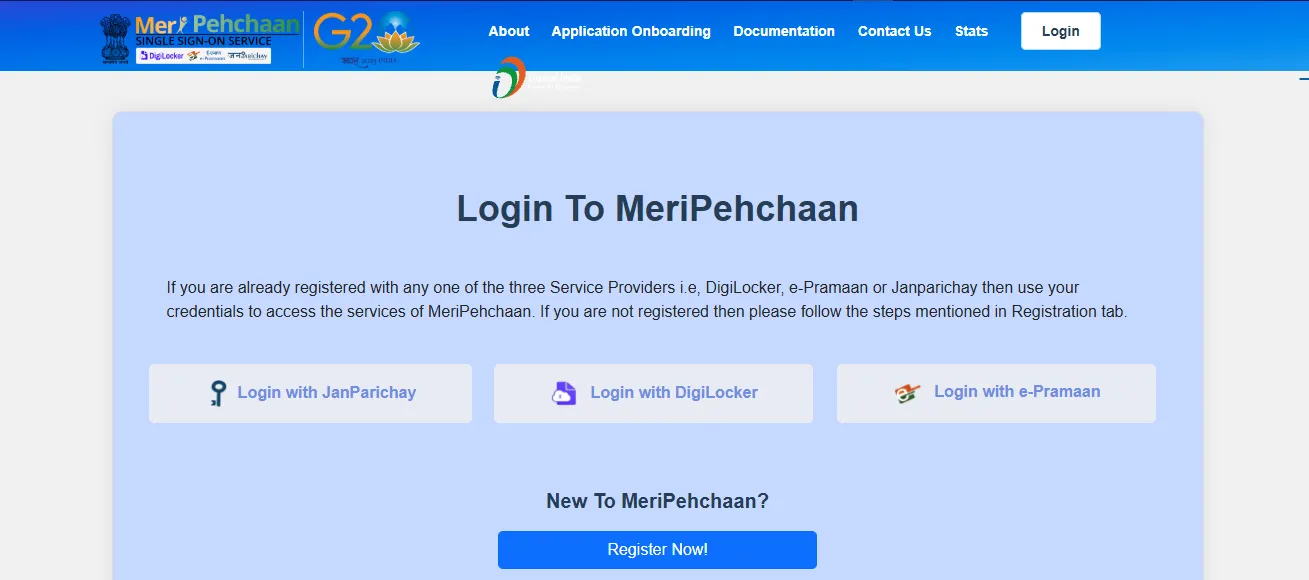
MeriPehchaan login for JEE Main 2027 simplifies the registration process through the National Single Sign-On (NSSO) platform. Candidates can use the official MeriPehchaan login website integrated with DigiLocker, JanParichay, or e-Pramaan to complete identity verification via Aadhaar, PAN, or APAAR.



MeriPehchaan Login for JEE Main 2027: The National Testing Agency conducts the Joint Entrance Examination (Main) – 2027 for admissions into undergraduate engineering and architecture programs. Candidates must complete their MeriPehchaan Login for JEE Main 2027 Registration exclusively through the official portal. Applications are accepted strictly online for Session-1 (January 2027) and Session-2 (April 2027). Offline submissions via post, email, or hand delivery are not accepted.
JEE Mains Registration 2027 LIVE Updates
What is MeriPehchaan NSSO Platform?
Launched on July 4, 2022, by MeitY in collaboration with the National Informatics Centre (NIC), Centre for Development of Advanced Computing (C-DAC), and National e-Governance Division (NeGD), MeriPehchaan acts as India's National Single Sign-On (NSSO) gateway. It merges primary authentication services—DigiLocker, JanParichay, and e-Pramaan—into one framework.
When applying for JEE Main 2027, the portal verifies personal credentials via identity cards such as Aadhaar, PAN Card, Driving License, or the Automated Permanent Academic Account Registry (APAAR) ID.
JEE Main 2027 Registration Link
JEE Main 2027 Session 1 application form is active. Apply online through the National Testing Agency (NTA) portal. Click the button below to register:
JEE Main 2027 Registration Link
MeriPehchaan Registration Steps for JEE Main 2027
Candidates must complete four essential stages to successfully complete the JEE Main registration login 2027.
Step 1: Registration and Password Creation
-
Access the official MeriPehchaan login website integrated into the NTA portal.
-
Click on the JEE Main 2027 application login link and select the NTA MeriPehchaan login option.
-
Complete user authentication using basic information (Name, Date of Birth, and Mobile Number).
-
Perform identity check using Aadhaar, PAN, Driving License, or APAAR ID.
-
Create a secure password. Upon successful submission, a system-generated Application Number will be issued. Record this application number carefully as it serves as your primary credential for both Session 1 (January 2027) and Session 2 (April 2027).
Password Security Rules:
-
Length must be between 8 and 13 characters.
-
Must contain at least one uppercase letter, one lowercase letter, one numeric digit, and one special character (such as ! @ # $ % ^ & * -).
Also Read: JEE Main 2027 DigiLocker Verification: Login & Help
Step 2: Application Form & Image Upload
Log in using your system-generated Application Number and Password. Fill in your personal details, exam city preferences, and educational qualifications. Upload mandatory documents adhering strictly to NTA specifications:
-
Live Photograph: Captured directly using your device webcam or by scanning a QR code with a mobile phone/tablet. Must have a white background, proper lighting, and 80% face visibility (ears visible, no mask).
-
Passport-Size Photo: Scanned image in JPG/JPEG format (10 kB to 200 kB), 80% face coverage against a white background.
-
Signature: Scanned image in JPG/JPEG format (10 kB to 100 kB).
-
Class 10 Certificate / Marks-sheet: Clear PDF file (50 kB to 300 kB).
-
Disability / UDID Certificate (if applicable): PDF file (50 kB to 300 kB), automatically validated via the Department of Empowerment of Persons with Disabilities (DePwD) portal.
-
Non-Indian Passport / OCI Document (if applicable): PDF file (50 kB to 300 kB).
Step 3: Online Fee Payment
Remit the requisite examination fee using Net Banking, Credit Card, Debit Card, or UPI Payment Gateways. Processing charges and applicable GST are added directly by the payment integrator.
Step 4: Confirmation Page Generation
Once the payment is confirmed, the system generates the official Confirmation Page. Download, save, and print multiple copies of this document for future reference during admissions and counselling.
How to Create a MeriPehchaan Account for JEE Main 2027?
Candidates who need a new MeriPehchaan account can follow the registration instructions provided on the official platform. The information bulletin states that basic registration details include the name, date of birth, and mobile number. Additional identity verification may be completed through the supported eKYC options.
The general process is as follows:
-
Access the MeriPehchaan authentication facility through the official JEE Main registration portal.
-
Select the applicable registration option if you are a new user.
-
Enter the requested personal details.
-
Complete the verification steps displayed on the portal.
-
Follow the instructions to access the JEE Main application form.
Candidates should use their own accurate details and an accessible mobile number and email address for the JEE Main application. The bulletin does not provide a separate, detailed screen-by-screen guide for creating a MeriPehchaan account specifically for JEE Main 2027.
Troubleshooting MeriPehchaan Login Problems in JEE Main 2027
If you experience issues while using the MeriPehchaan portal login for JEE Main, refer to the following solutions:
1. Password Reset Procedure
If you forget your JEE Main 2027 candidate login password, reset it using two verified channels:
-
SMS Verification: Request a verification code sent directly to your registered mobile number.
-
Email Reset Link: Request a password reset link sent to your registered email address.
2. Payment Failure & Fee Reconciliation
-
If money is deducted from your bank account but the Confirmation Page does not generate, wait for payment reconciliation or check with your bank integrator using NTA Appendix-I helplines.
-
If the transaction failed completely, initiate a fresh fee payment before the deadline. Verified duplicate payments are refunded automatically by NTA to the original payment source after reconciliation.
3. Preventing Unfair Means (UFM) & Multiple Applications
Under no circumstances should a candidate fill out more than one application form. Registering multiple application forms will lead to disqualification under Unfair Means (UFM) rules. If an accidental duplicate registration occurs, contact the NTA Helpdesk immediately to cancel the redundant application number.
Also Check:
-
JEE Main 2027 Registration Fees: Category-wise Fee & Payment
-
Documents Required for JEE Main 2027 Registration: List, Specifications & Category-wise Requirements
-
JEE Main 2027 Correction Window: Dates, Editable Details & Process
MeriPehchaan Login for JEE Main 2027 Registration FAQs
Q1. What is the official portal for MeriPehchaan login for JEE Main 2027?
Q2. What credentials are required for password creation during registration?
Q3. Which identity providers are integrated with the MeriPehchaan platform?
Q4. Can a candidate submit more than one application form for JEE Main 2027?


Have questions about your prep?
Our experts can answer all your questions










 Live & recorded classes available at easeDashboard for progress trackingMillions of practice questions at your fingertips

