GATE 2027 Documents Required: Complete List of Documents, Certificates, Photo, Signature & ID Proof



GATE 2027 registration begins through the GOAPS portal. Before filling out the application form, candidates should keep their photograph, signature, valid photo ID, academic details, category/PwD certificates (if applicable), and payment details ready. Having the required information and documents prepared helps avoid errors and delays during the application process.
For Indian nationals, registration through verified DigiLocker is mandatory for GATE 2027. Candidates will also need to provide their personal and academic details, select their preferred examination cities, and upload the applicable documents as per the prescribed specifications.
Check: GATE 2027 Registration
Check: GATE 2027 Important Dates
GATE 2027 Documents Required for Registration
Candidates should keep all the GATE 2027 documents required for the application ready before starting the form. The exact documents required may vary depending on the candidate's category and the facilities being claimed.
| Document | Required For |
| Recent Passport-size Photograph | All Candidates |
| Signature | All Candidates |
| Valid Photo ID | All Candidates |
| SC/ST Category Certificate (PDF) | SC/ST Candidates |
| UDID Card/PwD Certificate and Applicable Supporting Documents | PwD Candidates |
| Dyslexic Certificate/Applicable Certificate | Candidates Claiming Applicable Benefits |
| Scribe/Compensatory Time Certificate and Relevant Annexures | Eligible Candidates |
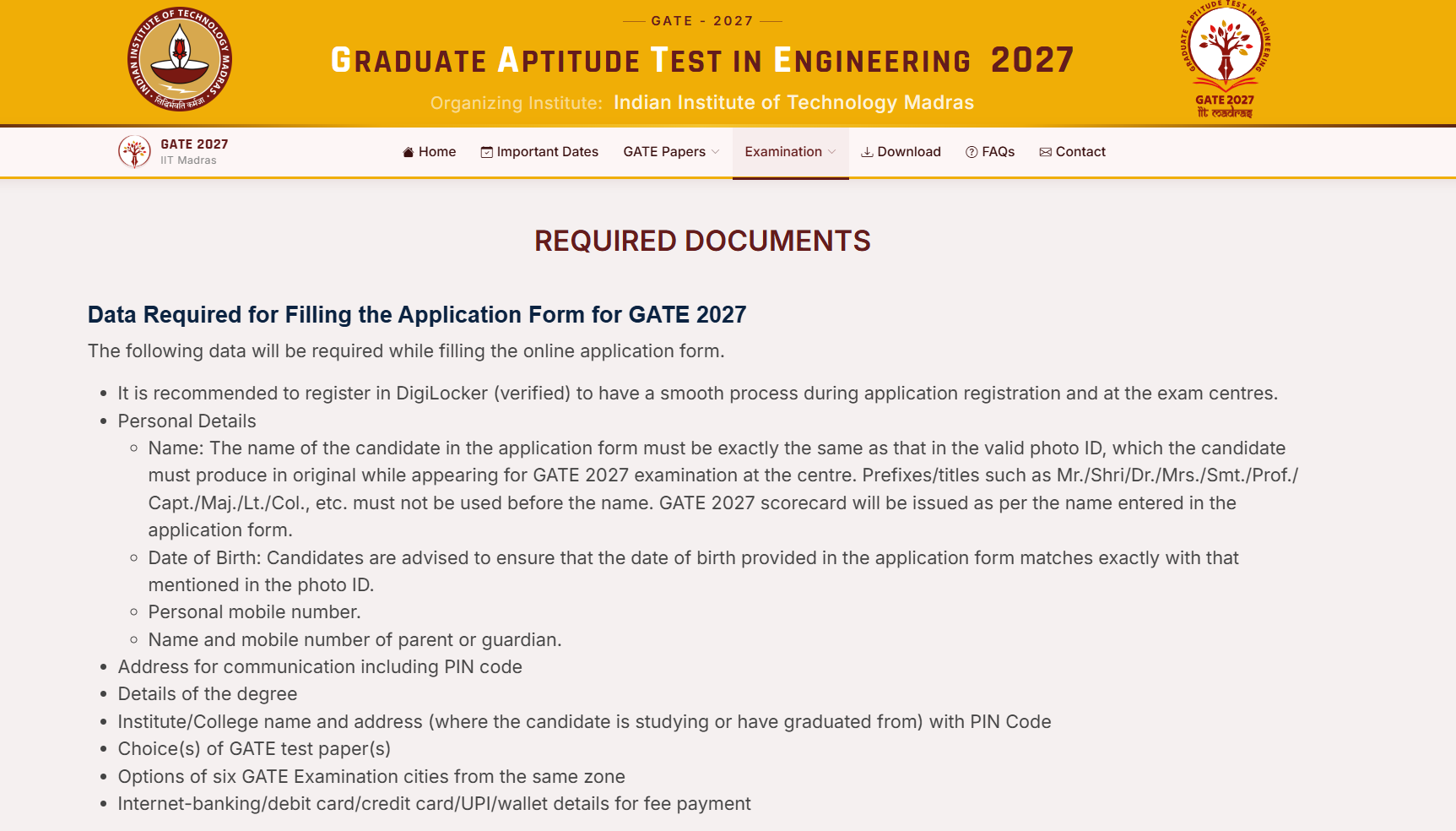
Personal Details Required While Filling GATE 2027 Application Form
Besides uploading the required documents, applicants must enter their personal details accurately. The name and date of birth should match the verified photo ID used for GATE 2027 registration.
Personal Information
-
Candidate's full name as mentioned on the valid Photo ID
-
Date of Birth
-
Mobile Number
-
Email ID
-
Parent/Guardian's Name
-
Parent/Guardian's Mobile Number
-
Communication Address
-
PIN Code
Candidates should ensure that the details entered in the application form are correct. The candidate's name should match the verified photo ID used during registration.
Academic Details Required for GATE 2027
Candidates should keep the following academic information handy before starting the GATE 2027 application form:
-
Degree Name
-
Qualifying Examination Details
-
Institute/College Name
-
Institute Address
-
Institute/College PIN Code
-
Year of Passing/Expected Graduation
-
Choice of GATE Paper(s)
-
Six Preferred Examination Cities from the Same Zone
Check: GATE Eligibility Criteria
Photograph Specifications for GATE 2027
Candidates must upload a good-quality recent colour passport-size photograph as per the prescribed GATE 2027 photograph specifications. The photograph should meet the required size, dimensions, background, and file-size limits.
-
Size: 3.5 cm × 4.5 cm
-
The face should cover approximately 60–70% of the photograph.
-
Use a white background and a frontal view.
-
Forehead, eyes, nose, and chin should be clearly visible.
-
Format: JPEG/JPG
-
File size: 5 KB to 600 KB
A live photograph is also captured during registration. Candidates can use a computer with a webcam or a smartphone with a front camera of at least 5 MP for the live image.
Check: GATE 2027 Information Brochure
Signature Specifications for GATE 2027
Candidates must upload a clear scanned image of their own signature according to the prescribed specifications.
-
Use black or dark blue ink.
-
Sign on white paper.
-
The signature should be clear and readable.
-
Upload only the candidate's own signature.
-
Format: JPEG/JPG
-
File size: 3 KB to 300 KB
Valid Photo ID Required for GATE 2027
Candidates must use a valid photo identity document for identity verification during GATE 2027 registration. For Indian candidates, accepted IDs include:
-
Aadhaar-UID
-
Passport
-
PAN Card
-
Voter ID
-
Driving Licence
The candidate's name should exactly match the valid photo ID used for registration. The same original ID must be produced at the examination centre on the exam day.
Category Certificates Required for GATE 2027
The documents required for category-based benefits depend on the candidate's category. General, OBC-NCL, and EWS candidates do not need to upload documents to the GATE2027 DigiLocker folder. SC/ST candidates need to upload the applicable category certificate.
SC/ST Candidates
SC/ST candidates should upload their applicable category certificate in PDF format to the GATE2027 DigiLocker folder as prescribed by the organising institute.
PwD Documents Required for GATE 2027
PwD candidates should keep the applicable disability documents ready. A UDID card is preferred, while a PwD certificate may be used as prescribed. Candidates claiming additional facilities should also provide the required supporting documents.
Documents Required for Dyslexic Candidates
Candidates claiming benefits applicable to dyslexic candidates should keep the prescribed Dyslexic Certificate and other supporting documents ready as specified by GATE 2027.
Certificate Required for Scribe and Compensatory Time
Candidates requesting a scribe or compensatory time must provide the prescribed certificate and applicable supporting annexures as required under the GATE 2027 guidelines.
Payment Details Required for GATE 2027 Application
Candidates should keep a valid online payment method ready while completing the GATE 2027 application. The available payment options should be checked on the application portal before making the payment.
Checklist Before Submitting GATE 2027 Application Form
Before submitting the GATE 2027 application form, candidates should verify the following:
-
Name matches the verified Photo ID
-
Date of Birth is correct
-
Mobile Number and Email ID are correct
-
Parent/Guardian Details are correct
-
Communication Address and PIN Code are correct
-
Degree and College Details are correct
-
Six Preferred Exam Cities are selected from the same zone
-
Photograph meets the prescribed specifications
-
Signature meets the prescribed specifications
-
Valid Photo ID is available
-
Applicable SC/ST, PwD, Dyslexic, or supporting documents are ready
-
Valid payment method is available
Common Mistakes to Avoid While Uploading GATE 2027 Documents
Candidates should carefully check their documents and details before final submission. Common mistakes include:
-
Uploading blurred or low-quality photographs.
-
Entering a name that does not match the verified Photo ID.
-
Entering an incorrect date of birth.
-
Uploading incorrect or unreadable certificates.
-
Selecting examination cities from different zones.
-
Uploading files that do not meet the prescribed specifications.
Why Is DigiLocker Required for GATE 2027?
Registration through verified DigiLocker is mandatory for Indian nationals applying for GATE 2027. DigiLocker is used to fetch and verify key candidate details such as name, date of birth, mobile number, email ID, profile picture, address, and verified ID information.
Candidates should ensure that their DigiLocker details are accurate and that the verified ID selected during registration has the correct name and date of birth.
Elevate your GATE readiness with Physics Wallah’s GATE Online Courses . PW GATE Online Coaching offers comprehensive live sessions tailored to the syllabus, study materials, practice tests, and more. Explore Now!
GATE 2027 Documents Required FAQs
What documents are required for GATE 2027 registration?
Is a photo ID mandatory for GATE 2027?
Is DigiLocker compulsory for GATE 2027?
Can I upload my Aadhaar Card as ID proof?
Do SC/ST candidates need to upload a certificate?
What documents are needed for PwD candidates?


Have questions about your prep?
Our experts can answer all your questions

 Live & recorded classes available at easeDashboard for progress trackingMillions of practice questions at your fingertips